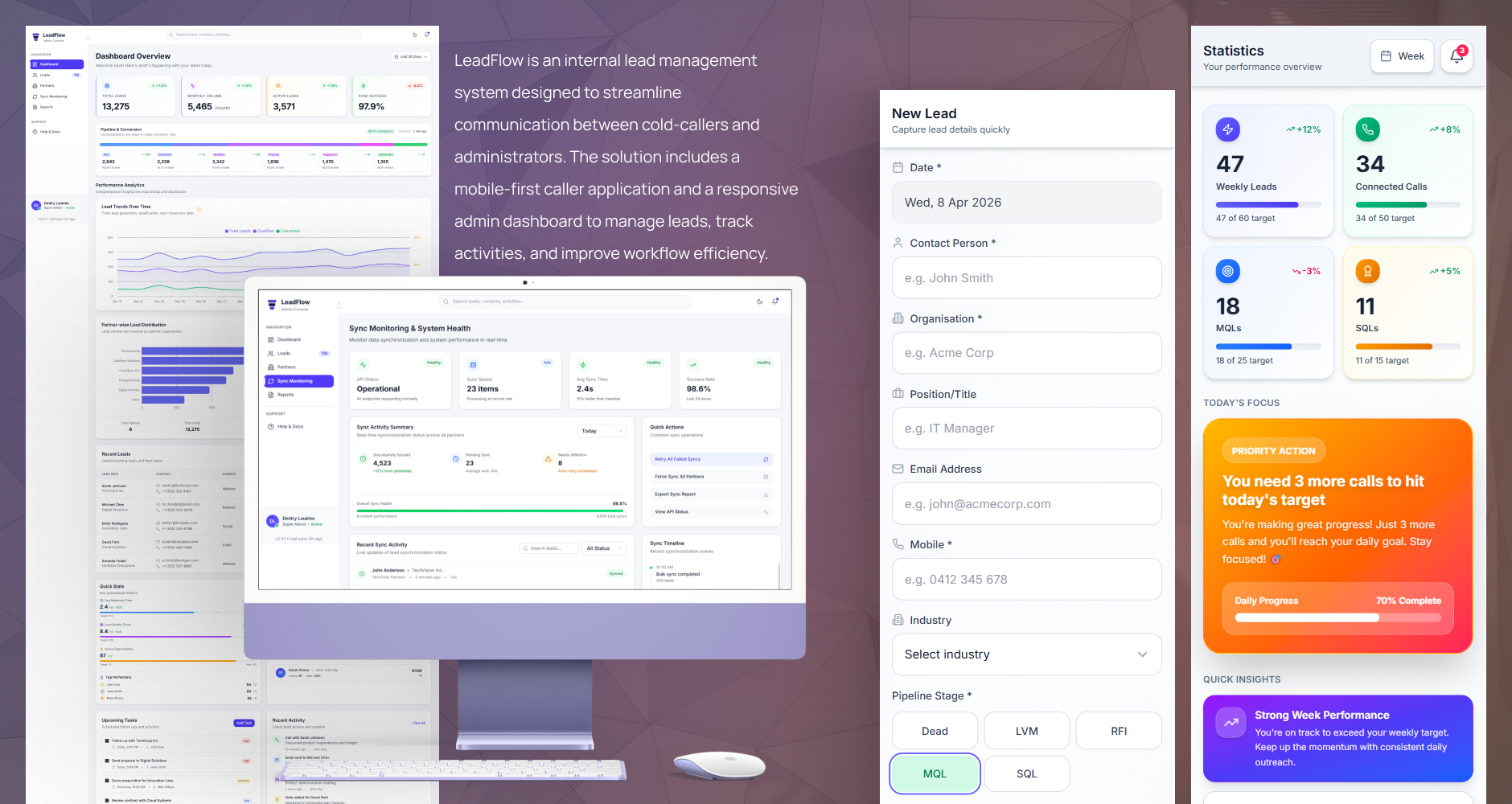
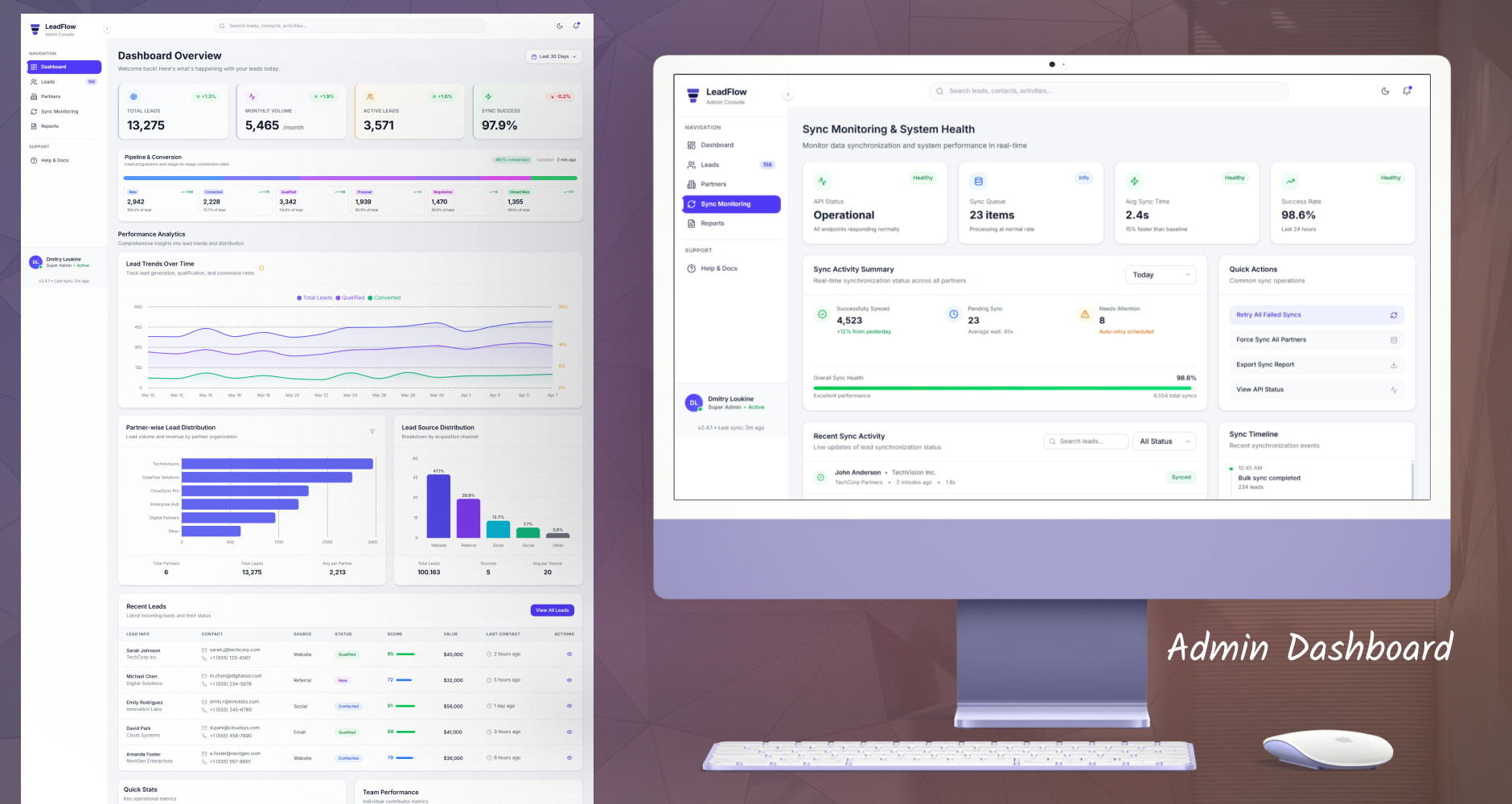
LeadFlow is an internal lead management system built to streamline communication between cold callers and administrators. Previously, callers recorded lead data manually in Excel sheets, typing every detail by hand, then submitted those sheets to the co-founders, CEO and other office leads, who had to process the raw data further before they could make decisions. Callers needed to handle calls and manage leads during live interactions, while admins needed one place to manage leads, track activities and monitor performance. The work had to go from requirement document to finished design under strict time constraints, in a domain that was new to me, with limited time for in-depth research.
As the sole designer, I designed a mobile-first Cold Caller App built for speed during live calls and a responsive Admin Dashboard for structured data views and workflow management. To meet the timeline, I used Figma Make (AI) to generate and refine UI screens, shared live prototype links for quick validation, and managed AI prompt usage within credit limits. Because Figma Make allows code export, I also handed the working prototype’s code over to developers, giving them a functional base to review and refine into installable applications instead of building from scratch.
The result: callers now select from predefined options instead of typing every field, making data entry faster and more consistent and increasing caller efficiency by 60%, and the app works on both mobile and web. At the end of each day, callers submit their leads directly to admins, where the dashboard presents the data in a processed, at-a-glance view, so leadership can see current status and progress and make decisions quickly. Both products were delivered within a tight timeline to positive feedback from the team, as a functional, scalable internal tool, showing that AI-assisted design can speed up delivery without lowering design quality.
LeadFlow had to support two very different users at once: callers working through leads on their phones during live calls, and admins managing that lead data on the web. Until then, everything ran through manually typed Excel sheets. The constraints made it harder:
01
A new domain, fast.
Lead and call management was new to me, and there was little time to learn it before designing for it.
02
Strict time constraints.
The full design, from requirement document to working prototype, had to be delivered on a tight timeline.
03
Limited time for research.
There was no room for in-depth research, so decisions leaned on the requirement document and team input.
04
AI credit limits.
Figma Make (AI) sped up screen generation, but prompt usage had to stay within credit limits.
05
Two experiences at once.
The mobile caller app and the admin dashboard had to be delivered simultaneously, each with its own context and needs.
06
A manual, spreadsheet-based process.
Callers typed every lead detail into Excel by hand, and the co-founders and CEO received raw sheets they had to process before they could act on them.
The challenge was delivering two usable, consistent products quickly, without letting speed come at the cost of design quality.
My Role & Responsibility
As the sole designer, I handled the complete design process:
Interpreting the requirement document
Worked closely with the requirement document and discussed open questions with the AI team and project manager to finalize key decisions.
Designing the mobile caller app (primary focus)
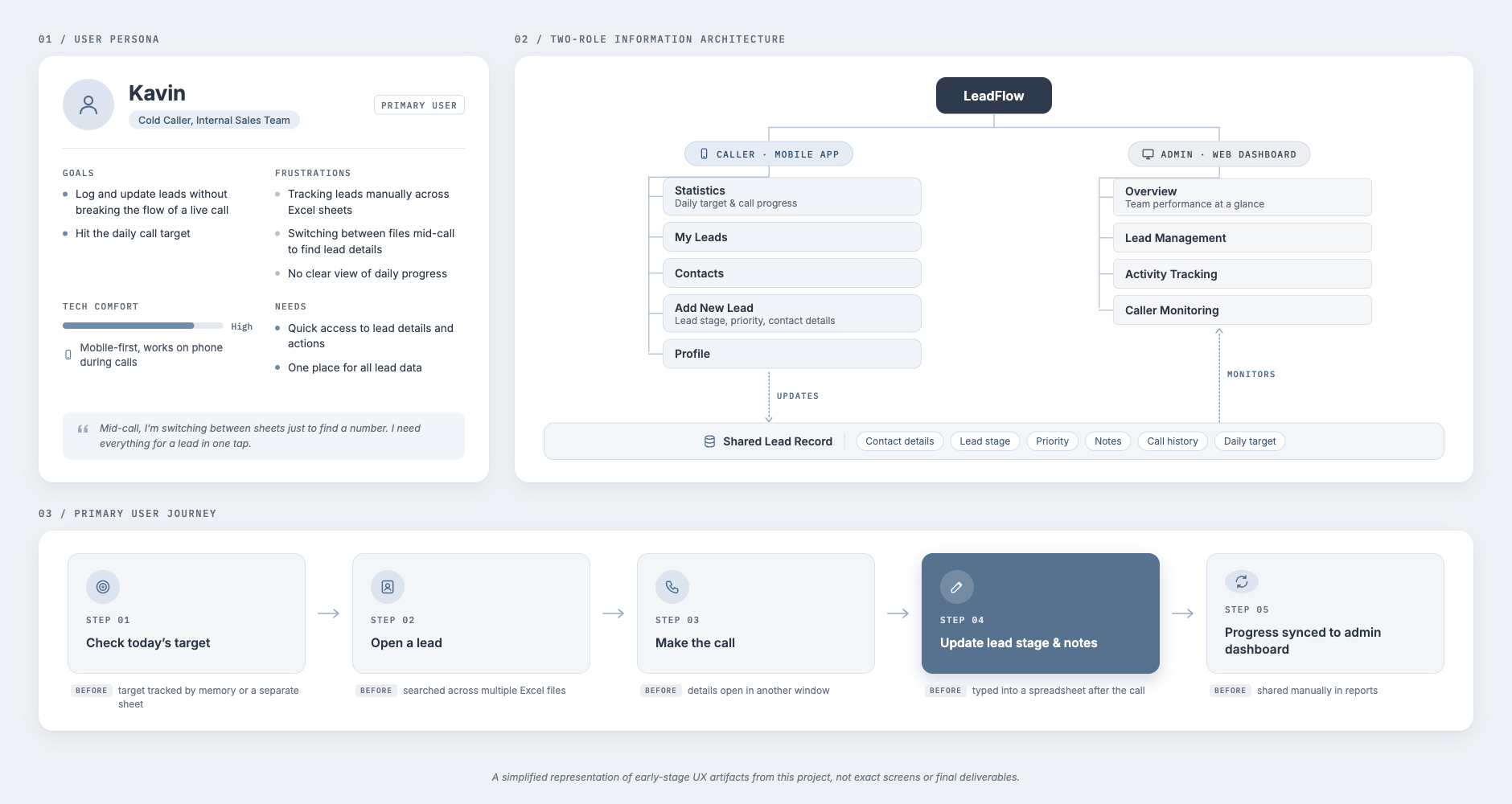
Mapped callers’ journeys, pain points and frustrations with the Excel process, then designed a branded, mobile-first app around them.
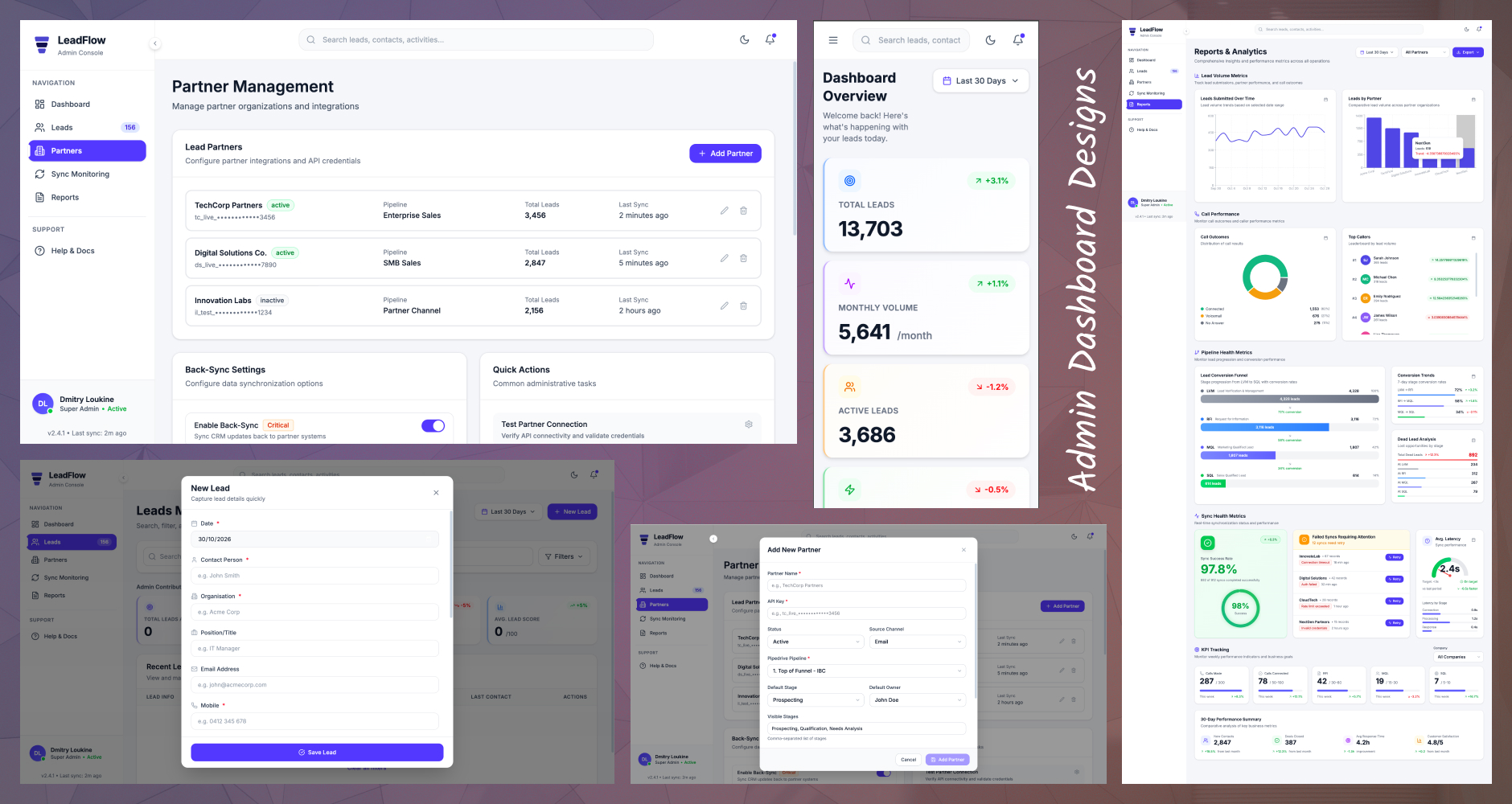
Designing the admin dashboard
Mapped admin journeys and the frustrations of working from raw spreadsheets, then designed a dashboard that presents data ready for decisions.
Structuring flows and information architecture
Defined user flows, interactions, information architecture and layouts for both products.
Using Figma Make (AI) to generate and refine UI
Generated and refined screens with AI while keeping both apps visually and structurally consistent.
Ensuring responsiveness and usability across devices
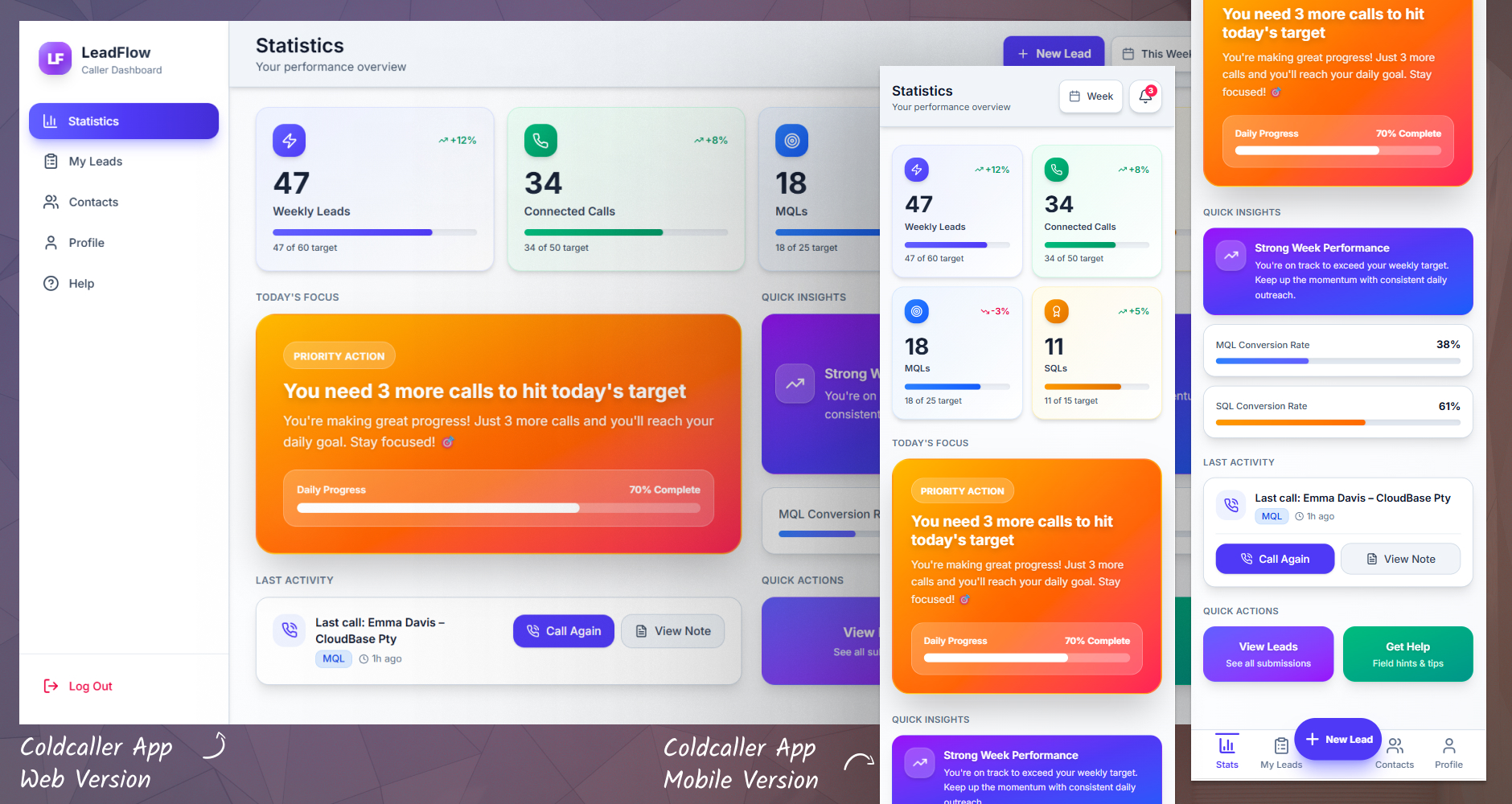
Made sure the caller app works on mobile and web, and the dashboard holds up across screen sizes.
UX Process
01
Research & Exploration
Reviewed the requirement document and understood system workflows
Discussed requirements with seniors, co-founders and the team
Prepared time estimations in Jira to track progress
02
Define
Identified key user roles (Caller, Admin)
Mapped each role’s journey and its pain points in the Excel-based process
Defined main flows for lead handling and tracking
03
Ideate
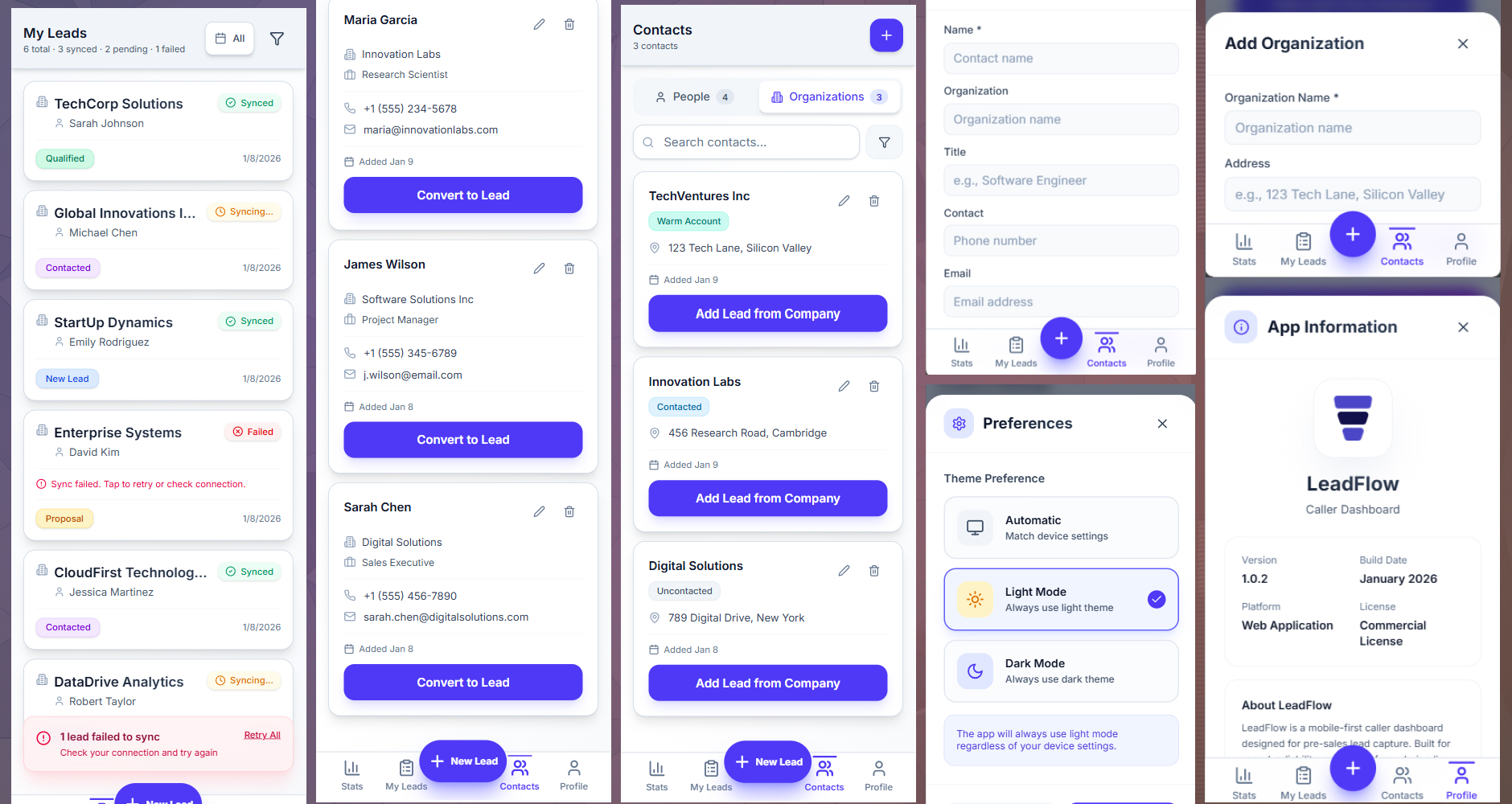
Planned mobile-first interactions for caller efficiency
Structured dashboard layouts for data visibility
Decided on branding, typography, layout and information architecture
04
Design
Designed UI using Figma Make (AI)
Replaced free-text entry with selectable options wherever possible
Created responsive layouts for mobile and web
05
Prototype
Generated interactive flows using Figma Make
Shared live prototype links for quick validation
Exported and shared editable code so developers could start front-end work
06
Iterate
Refined designs based on team feedback
Optimized designs within AI tool constraints
The Solution
The final solution delivered two connected products, plus a working code base for development:
Caller App (Mobile-First)
Built for speed during live calls
A streamlined interface for handling calls and managing leads, with quick access to lead details and actions. Predefined, selectable fields replace manual typing, so callers can log and update a lead without breaking the flow of a live conversation. The app works on both mobile and web, and callers submit their day’s leads directly to admins.
Admin Dashboard
Decisions at a glance, not raw data
A centralized platform where submitted leads arrive already structured. Leadership, including the co-founders and CEO, can see current status and progress at a glance and make decisions without processing spreadsheets first. Responsive layouts keep the dashboard usable across screen sizes.
Developer Handoff
Working code, not just screens
Figma Make’s code export meant developers received the working prototype’s code as a starting point, which they reviewed and refined into installable applications instead of rebuilding every screen from scratch.
Using Figma Make (AI) made rapid delivery possible while keeping design quality and consistency across both products.
Key Features
Mobile-first lead handling interface
Dashboard for lead tracking and management
Clear user flows for caller and admin roles
Responsive design across devices
AI-assisted design and prototyping workflow
Design Highlights
Mobile-first approach for real-time usability
Clean and structured UI for quick interactions
Efficient layouts for data-heavy dashboard
Scalable components and consistent design patterns
Rapid design execution using AI tools
Outcome & Impact
Caller Efficiency Increased by 60%
Callers previously typed every lead detail into Excel by hand. Moving that work into a mobile-first app with selectable fields removed the manual overhead, and comparing time spent per lead before and after launch showed a 60% increase in caller efficiency.
Real-Time Visibility for Leadership
Admins, including the company’s two co-founders, can now monitor calling progress and lead status directly in the dashboard, making it faster to spot issues and make decisions without waiting for manual reports.
Developers Started Earlier With a Working Prototype
Building with Figma Make (AI) meant developers received both a clickable prototype and its exported code, so they could start implementation from a working base instead of rebuilding screens from scratch. This gave the team a head start and more breathing room within the tight timeline.
A Foundation the Internal Team Can Keep Building On
Consistent components and patterns across mobile and web mean the internal apps team can extend the product for future needs without redesigning from scratch.
Delivered Within a Tight Timeline
Both the caller app and the admin dashboard were designed, prototyped and refined within the project's strict deadline.
Two Connected Products, One Designer
Both the Caller App and Admin Dashboard were designed and delivered in parallel by a single designer, with shared patterns across both platforms.
Take aways
Gained knowledge in the lead management domain
Learned how callers and admins work with leads quickly enough to design flows that fit how the work actually happens.
Hands-on experience with Figma Make (AI)
Used AI to generate and refine real product screens, and learned where it speeds the work up and where design judgment still has to lead.
Learned to design effectively under time constraints
Prioritized the flows that mattered most to callers and admins, so the essential experience was solid first.
Improved ability to balance speed and quality
Moving fast with AI tools still meant reviewing every screen for clarity, consistency and usability before sharing it.
Managed AI tool limitations strategically
Working within credit limits taught me to plan prompts carefully and refine output manually when that was the better use of time.